
My manager wanted MFA required for everyone, but nobody wanted a lockout. I built the policy in report-only mode so it could record its effect without enforcing anything, tested it with Travis, and used the What If tool to answer why Sam gets an MFA prompt and Travis does not. It is a test tenant with fictional accounts.
Tenant names and emails are hidden behind black boxes, and the red marks point out what matters in each screenshot.
The big picture
Skill: Safely testing Conditional Access changes and troubleshooting unexpected sign-in prompts in Microsoft Entra ID.
What this solves: Switching a policy on for everyone without testing can lock people out or flood the helpdesk. When a user asks why they are being asked for MFA, you need a fast, evidence-based answer.
The approach: test before you enforce. A policy runs in report-only mode so it records what it would have done, the What If tool simulates sign-ins, and the sign-in logs show what actually happened.
Solutions used: Conditional Access report-only mode, the What If tool, the Report only and Conditional access tabs in the sign-in logs, and policy exclusions.
Starting point
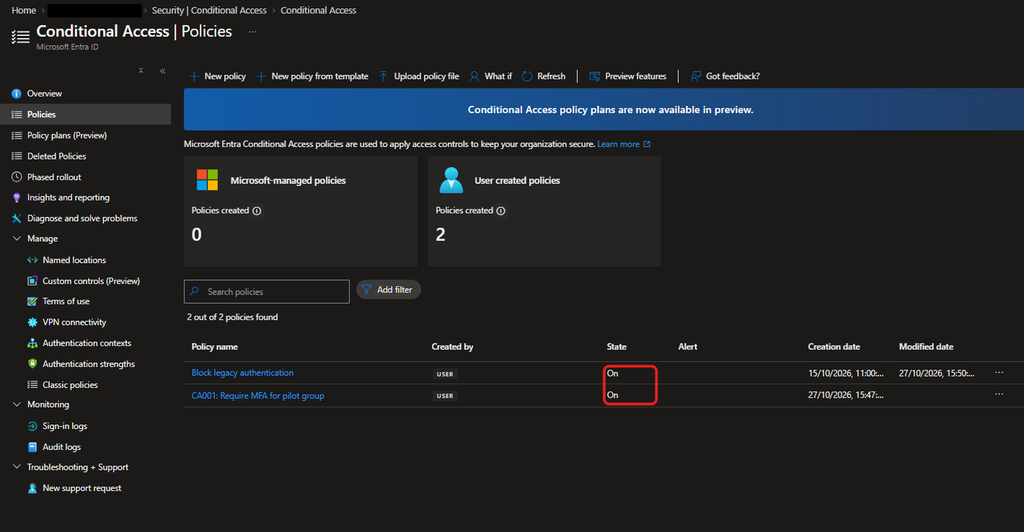
Two policies exist and both are On: Block legacy authentication and CA001: Require MFA for pilot group.
Creating the report-only policy
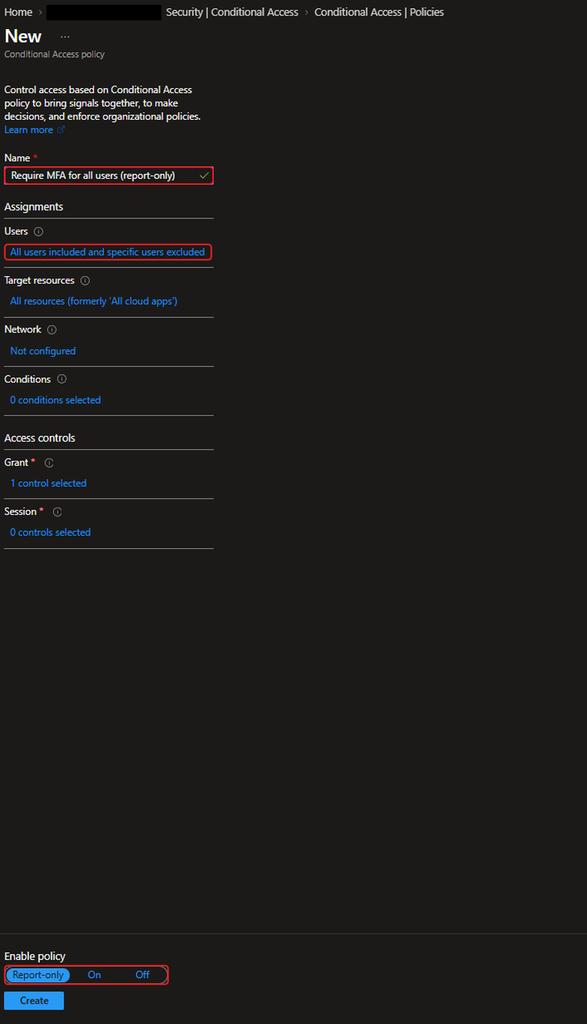
I created Require MFA for all users (report-only). It includes all users and excludes one admin account, targets all resources and grants access only with multifactor authentication. The important setting is at the bottom: Enable policy is set to Report-only, not On.
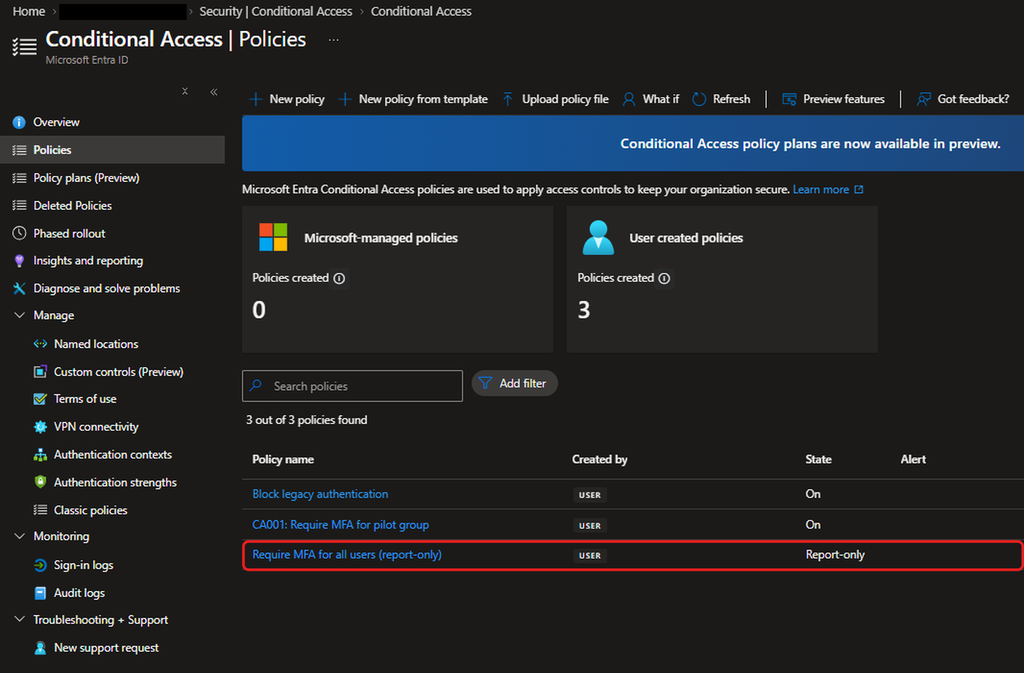
The saved policy appears in the list with the state Report-only.
Generating sign-in data
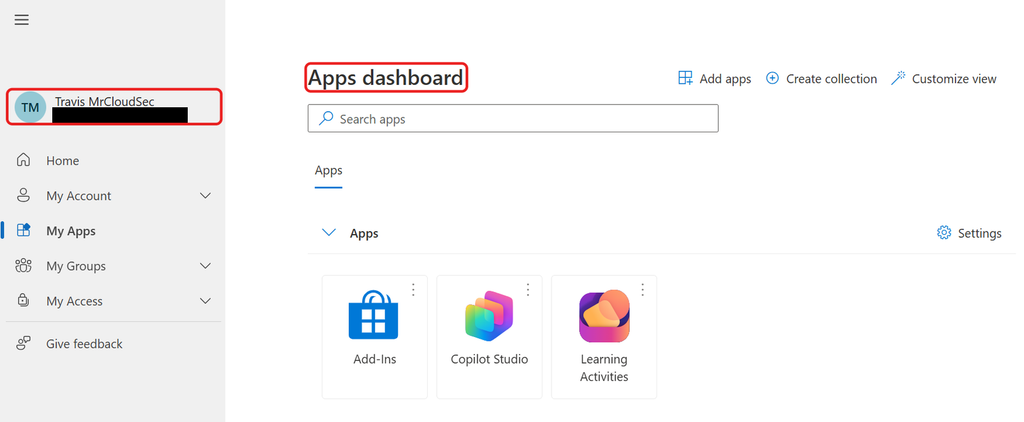
I signed in as Travis, who is not in the pilot group, in a private window. He reached the Apps dashboard without any MFA prompt, because a report-only policy never changes the outcome of a sign-in.
What report-only recorded
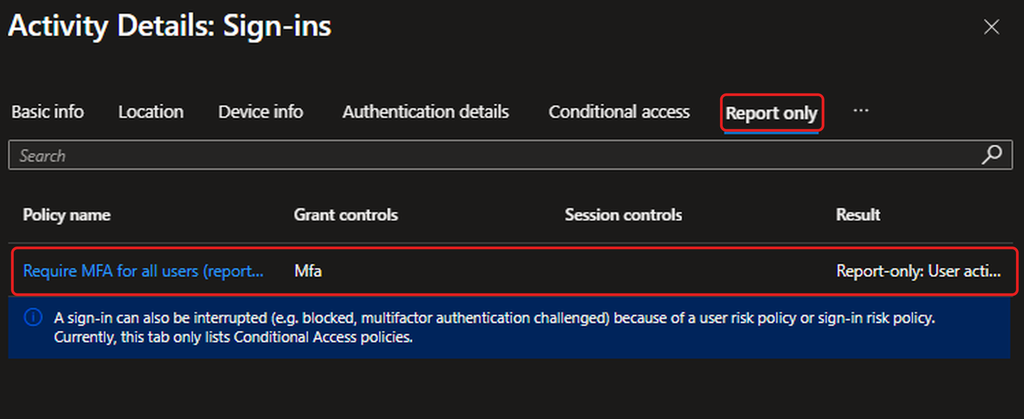
In the sign-in log, the Report only tab for Travis’s sign-in lists the new policy with grant control MFA. The result is shown as Report-only: User action required (the text is cut off in the screenshot). In other words, if the policy had been On, Travis would have been asked to do something, which here means MFA.
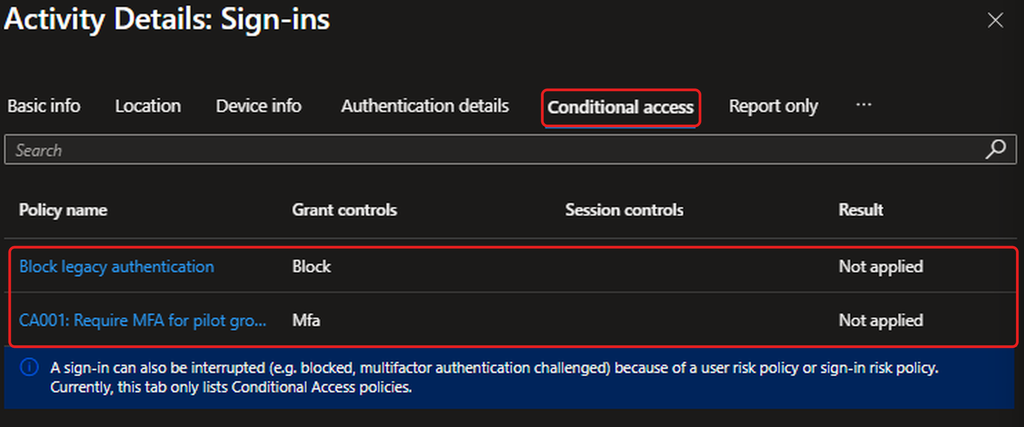
The Conditional access tab for the same sign-in lists only the two enforced policies, both Not applied. The report-only policy is not listed here because it was not enforced.
Simulating with What If
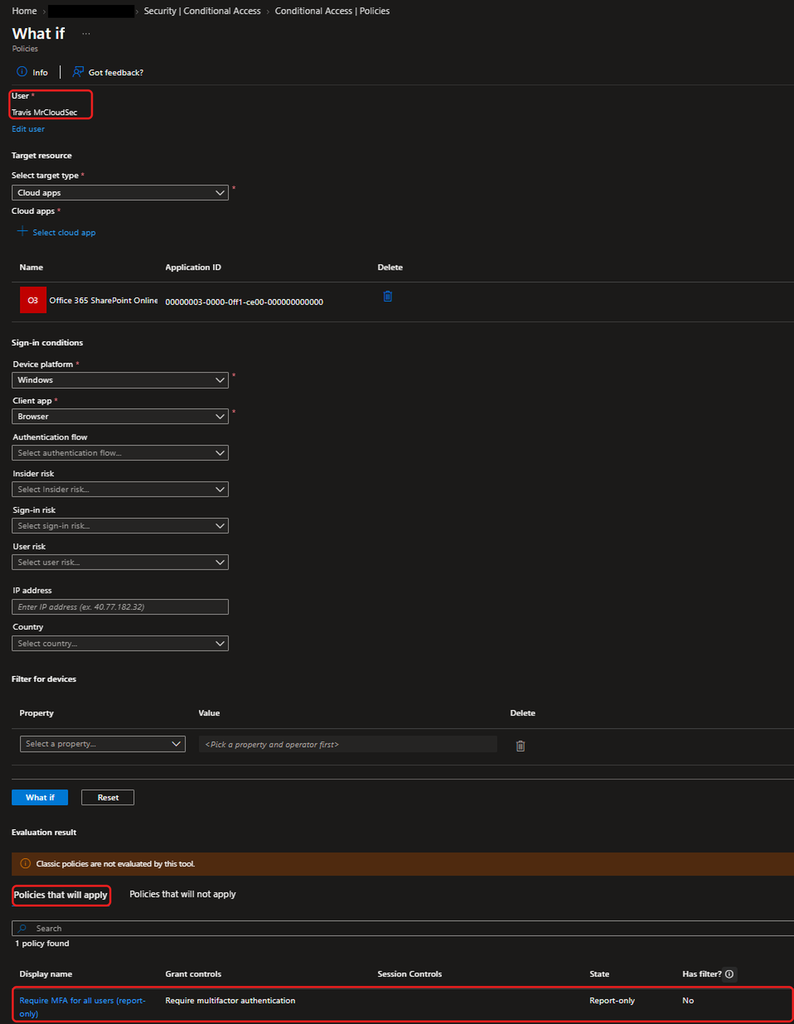
I ran What If for Travis against SharePoint Online on Windows in a browser. One policy would apply: the report-only MFA policy.
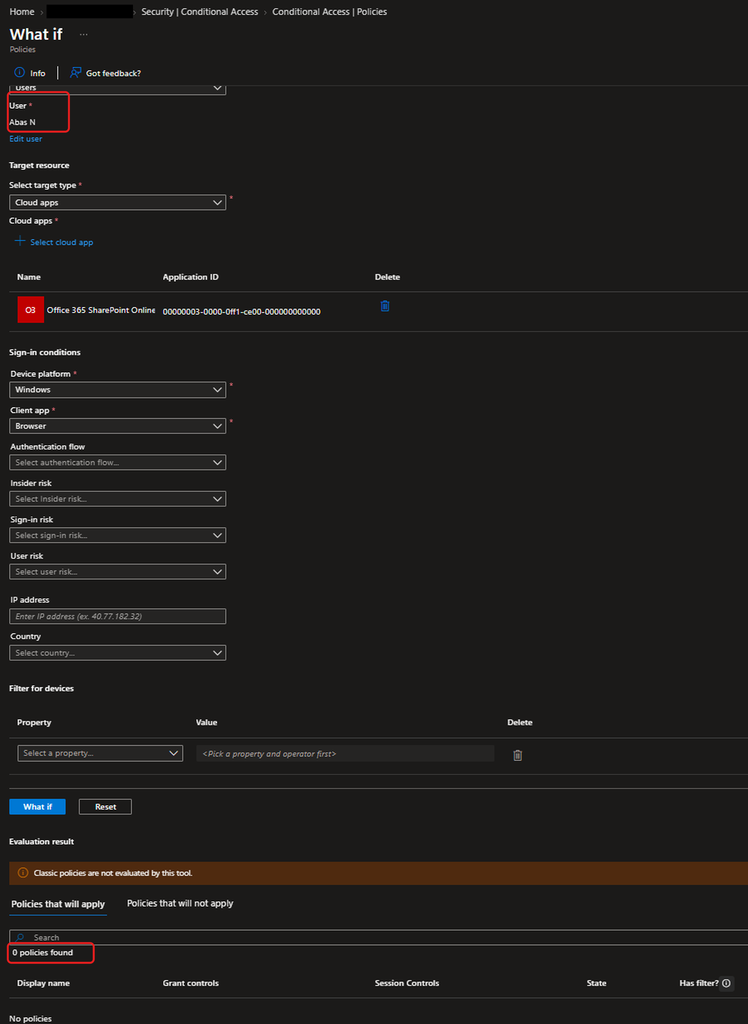
For my admin account, What If finds no policies that would apply, so the exclusion is working.
Answering Sam’s question
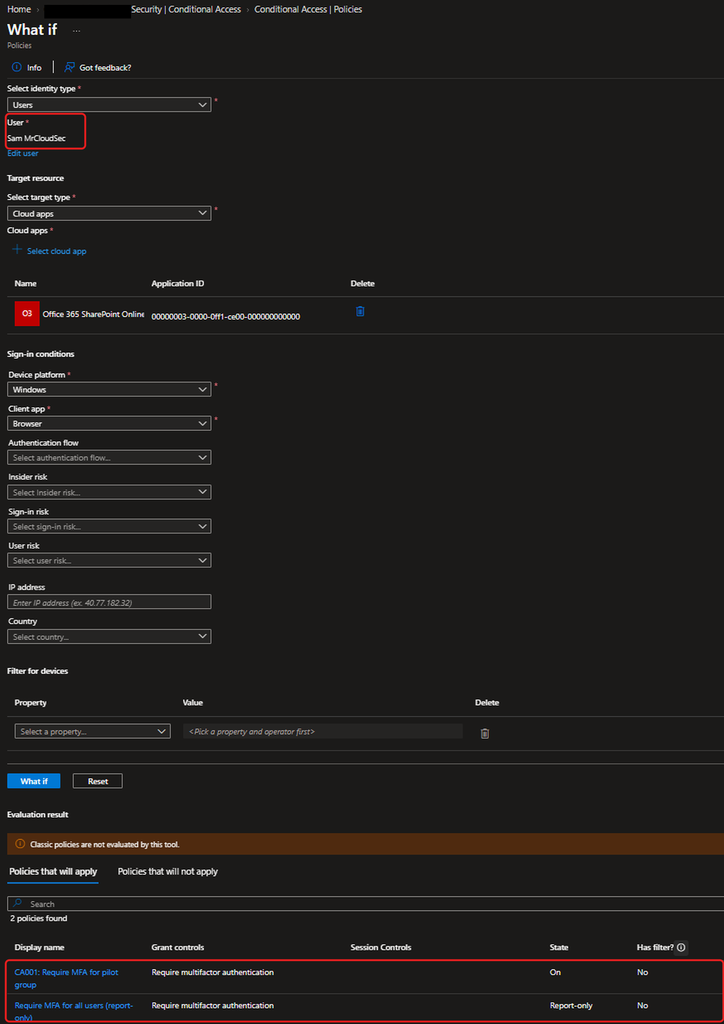
For Sam, What If shows two policies: CA001, which is On, and the report-only MFA policy. Sam is in the pilot group, so CA001 applies to him and he is prompted for MFA. Travis is not in that group, so nothing enforced applies to him, and the report-only policy only records what would happen.
Findings and recommendations
Report-only changed nothing for the user, and still told me the impact. Travis signed in without a prompt, yet the log recorded that the policy would have asked him for MFA.
What If is a simulation. Its answer depends on the conditions I picked (SharePoint Online, Windows, browser), so I use the sign-in logs to confirm what really happened.
The admin exclusion is confirmed for the MFA policies. The legacy block only targets legacy clients, and I simulated a browser, so this check cannot show whether that policy excludes the admin.
The two MFA policies overlap. Pilot users are covered by both. When the all-users policy goes On, CA001 becomes redundant, so I recommend retiring it then.
Before switching to On, I recommend checking report-only results over several days, confirming that every user has a method registered, and keeping emergency access accounts excluded.
Naming: this policy has no CA number like the first one. I recommend one naming convention for all policies.
Not tested: I did not capture Sam's real sign-in in the logs, so my answer to him rests on What If and his group membership. I also left the policy in Report-only and did not enable it.