
My pilot users had Microsoft Authenticator registered, but nothing forced them to use it. My manager wanted MFA required for the pilot group and legacy sign-in methods blocked, without locking out the admin. I built a Conditional Access policy called CA001, updated an existing legacy authentication policy, and tested both with Raj and Travis.
It is a test tenant with fictional accounts. Tenant names, emails and IDs are hidden behind black boxes, and the red marks point out what matters in each screenshot.
The big picture
Skill: Conditional Access policy design and testing in Microsoft Entra ID.
What this solves: Having an MFA method registered does not mean it gets used. Without a policy, users can still sign in with just a password, and legacy protocols can bypass MFA entirely.
The approach: policy-based access control with a safe rollout. Users are scoped by group, an admin is excluded to prevent lockout, and the result is verified in the sign-in logs.
Solutions used: Conditional Access policies (CA001 Require MFA, plus the existing Block legacy authentication policy), group scoping, an admin exclusion, and the sign-in logs.
Starting point
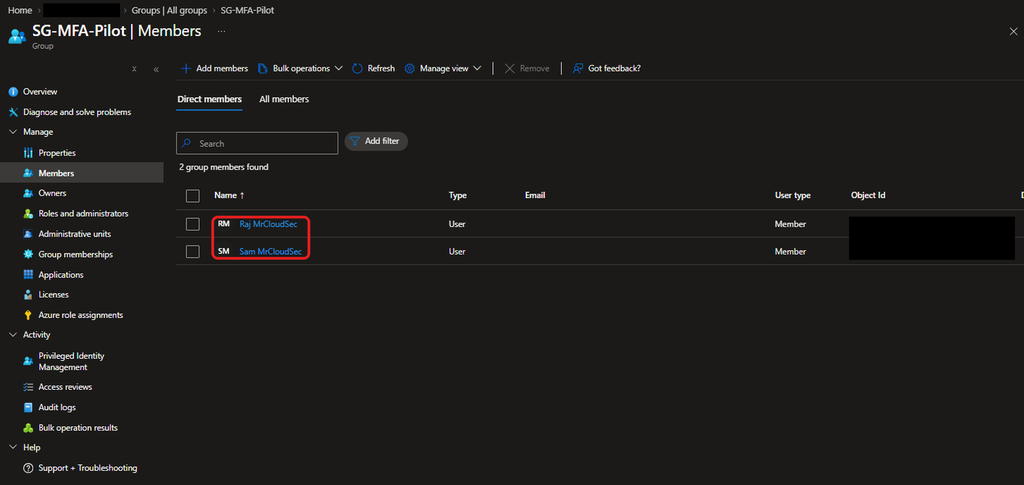
The pilot group SG-MFA-Pilot has two members, Raj and Sam. Travis is not in it, so he is my control user.
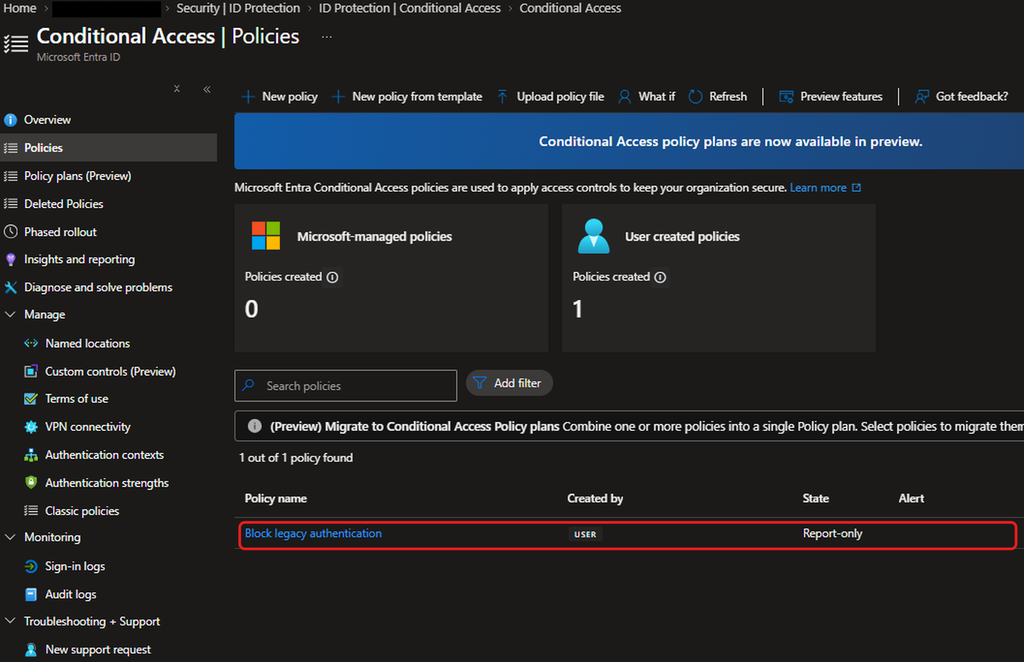
The Conditional Access page shows no Microsoft-managed policies and one policy of mine, Block legacy authentication, which is Report-only.
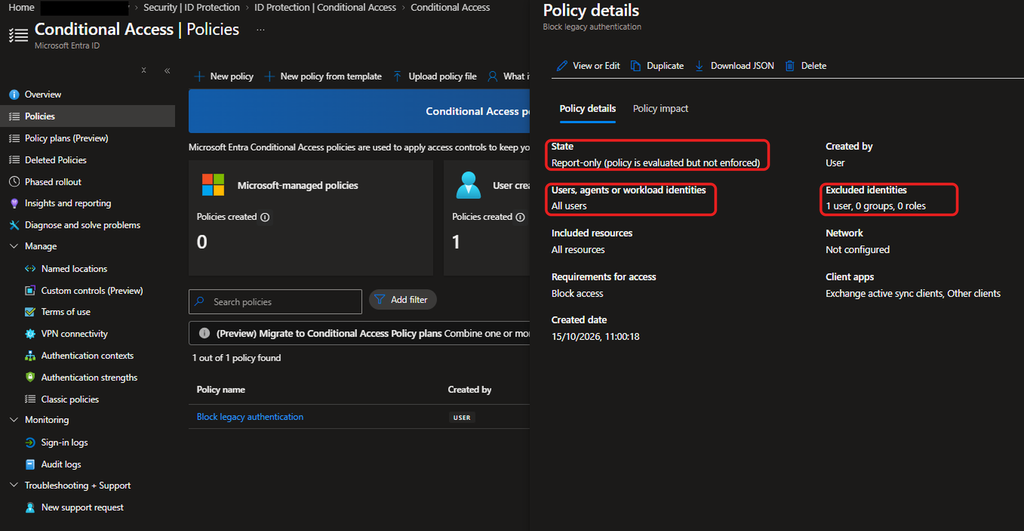
Opening it shows it applies to all users with one user excluded. Report-only means it is evaluated but not enforced, so it was blocking nothing.
Testing before any new policy
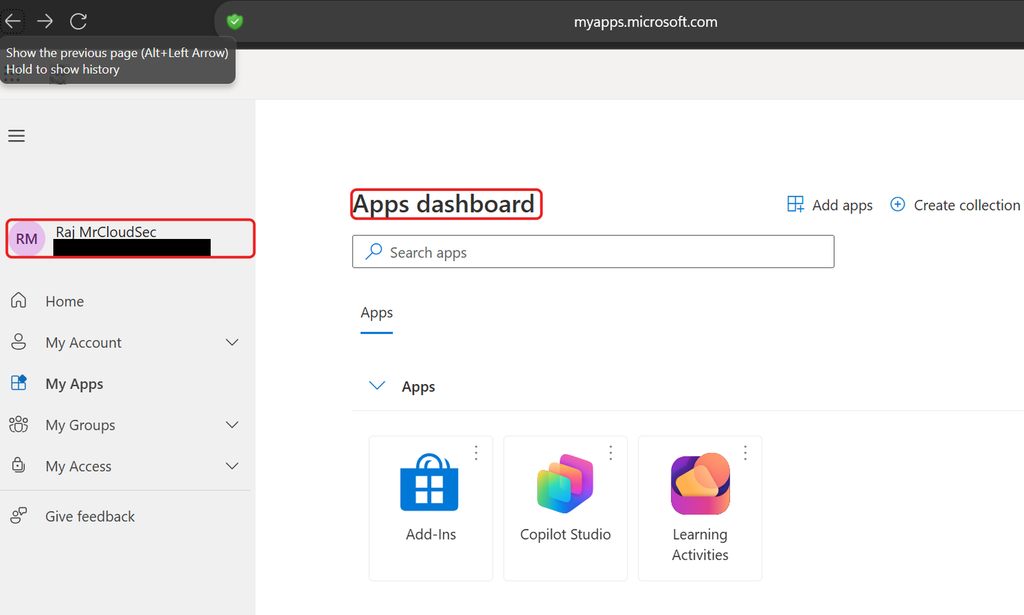
Before creating anything, I signed in as Raj in a private window. He got straight into the Apps dashboard with no MFA prompt. Having Authenticator registered did not make it required.
Creating CA001
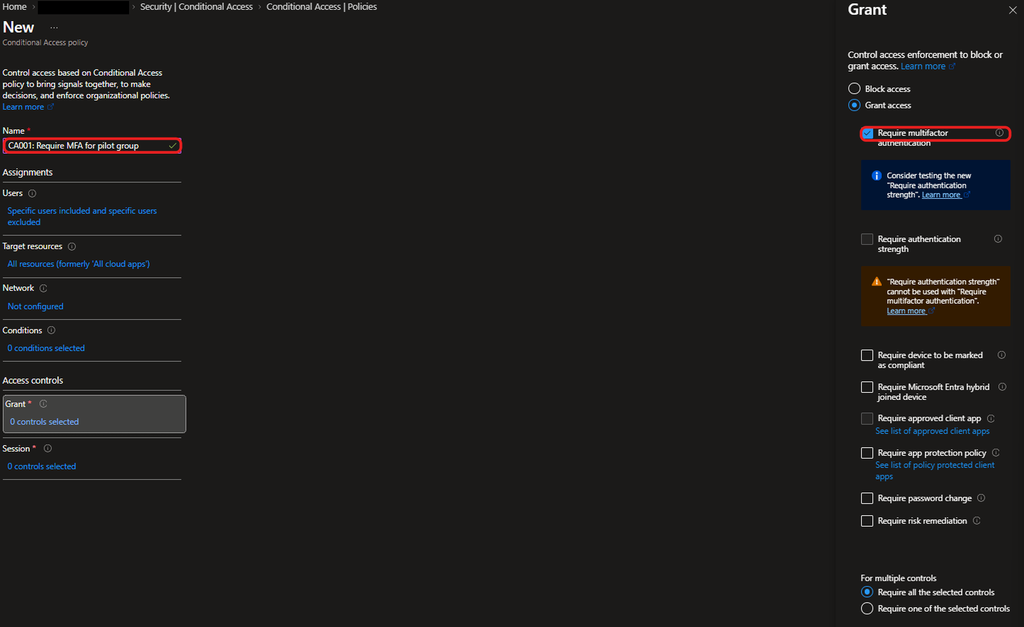
I created CA001 (Conditional access first policy): Require MFA for pilot group. It includes SG-MFA-Pilot, excludes one admin account, targets all resources and grants access only with multifactor authentication.
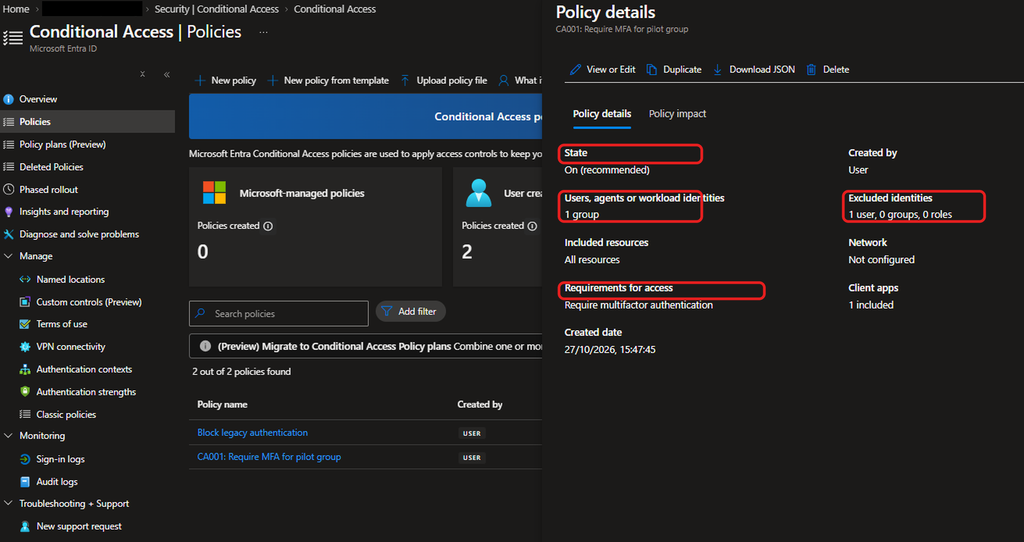
The saved policy is On, covers one group, excludes one user and requires MFA.
Updating the legacy authentication policy
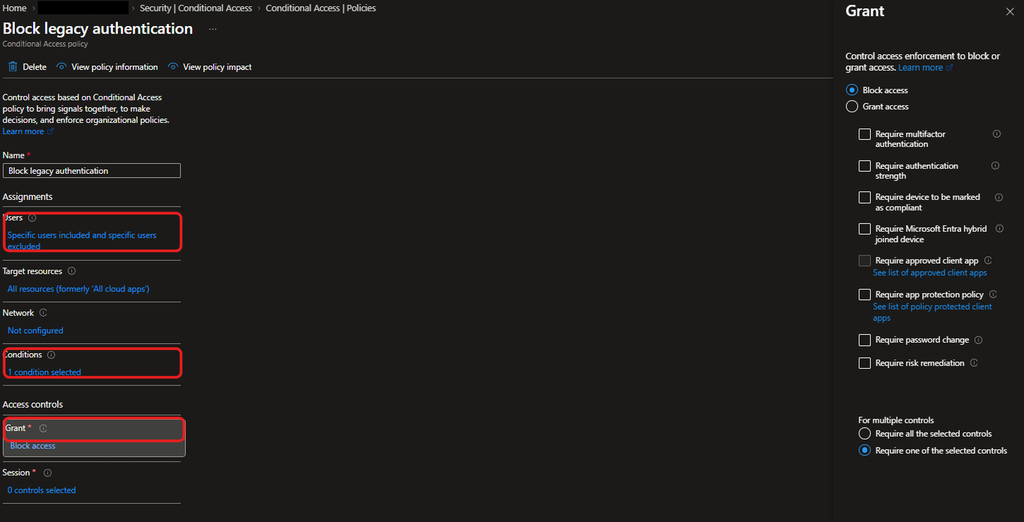
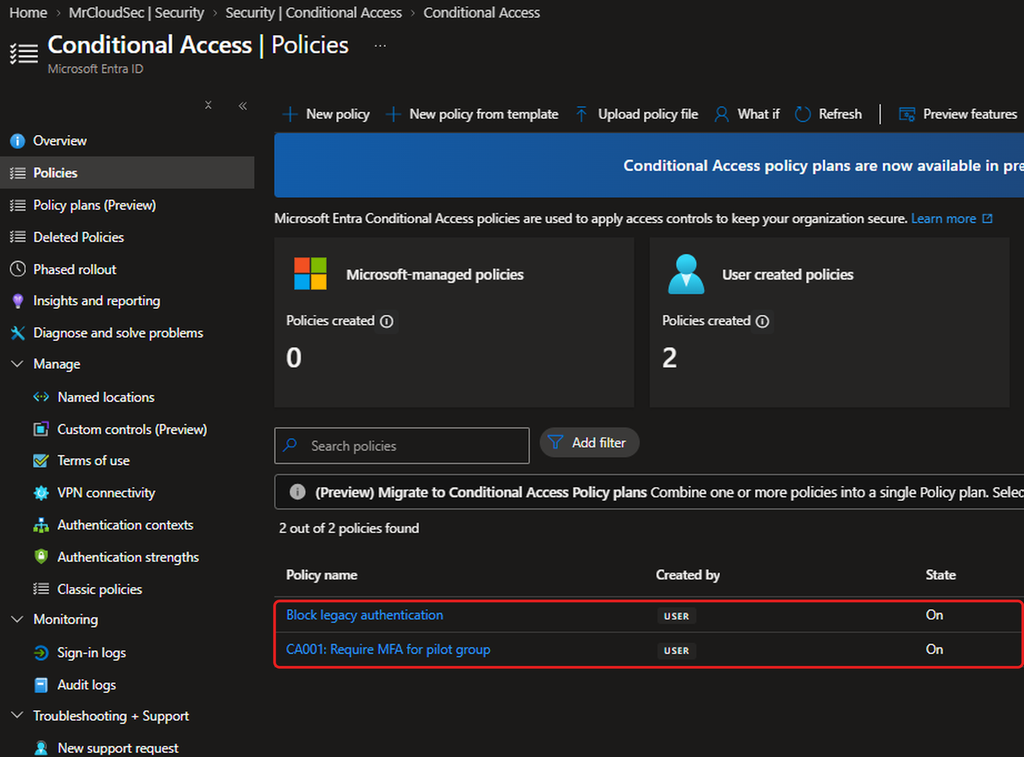
I edited the existing policy so it covers the pilot group instead of all users, still excludes the admin, applies only to Exchange ActiveSync and other legacy clients, and blocks access. Then I switched it from Report-only to On.
Both policies are now On.
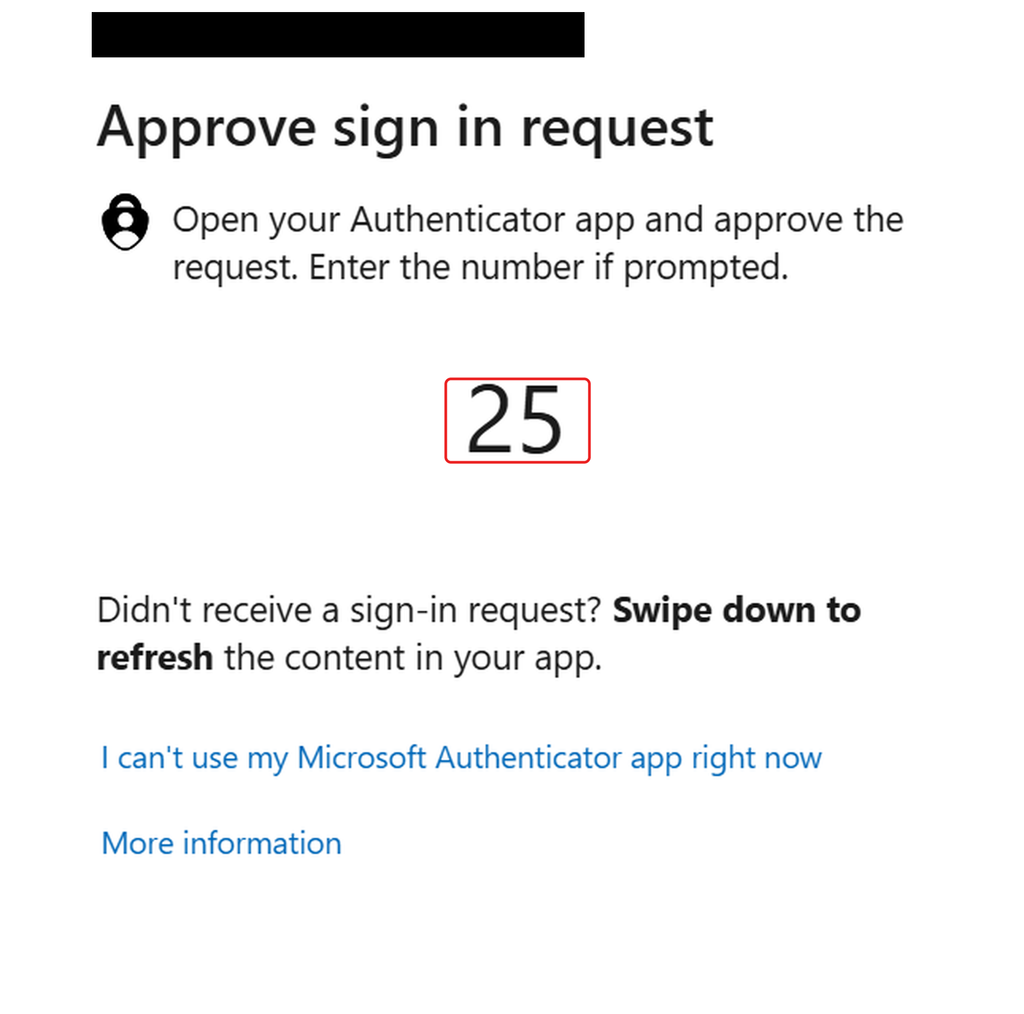
Testing as Raj
In a fresh private window, Raj now gets an Authenticator prompt with a number to match, so the number matching from the authentication methods policy is working.
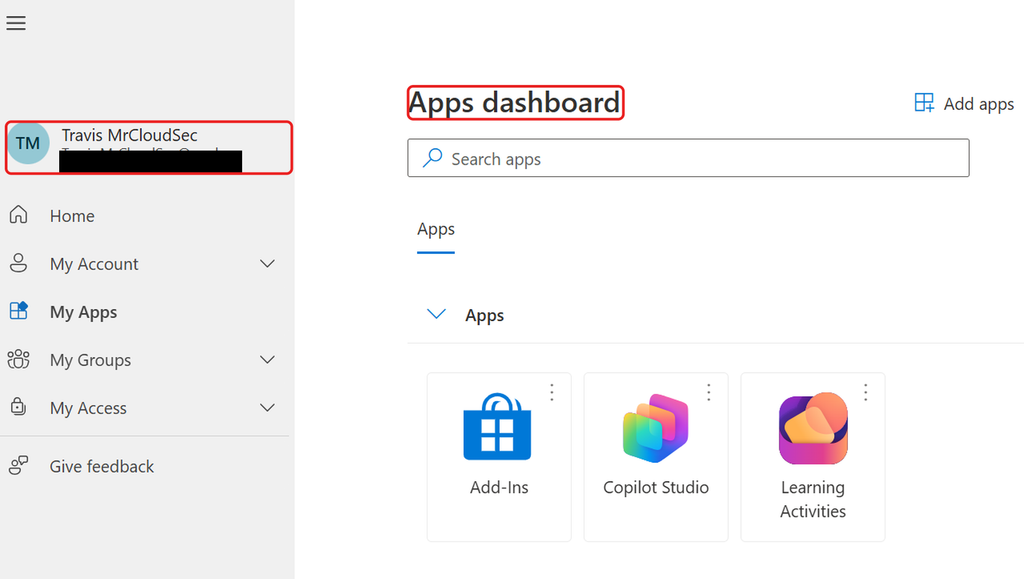
Testing as Travis
Travis is outside the pilot group. He signed in and went straight to the dashboard with no prompt from either policy.
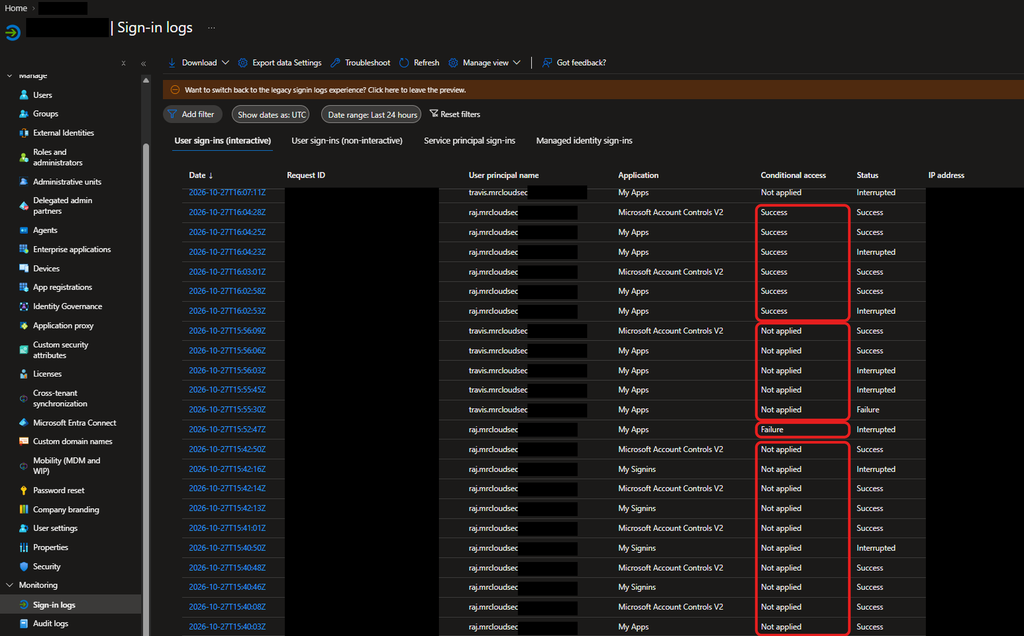
Reading the sign-in logs
The log tells the same story. Raj’s sign-ins before the policy show Conditional access as Not applied. After I created CA001, his first sign-in shows Failure with status Interrupted, which I read as the sign-in being stopped for MFA, and his later sign-ins show Success. Travis’s sign-ins show Not applied throughout.
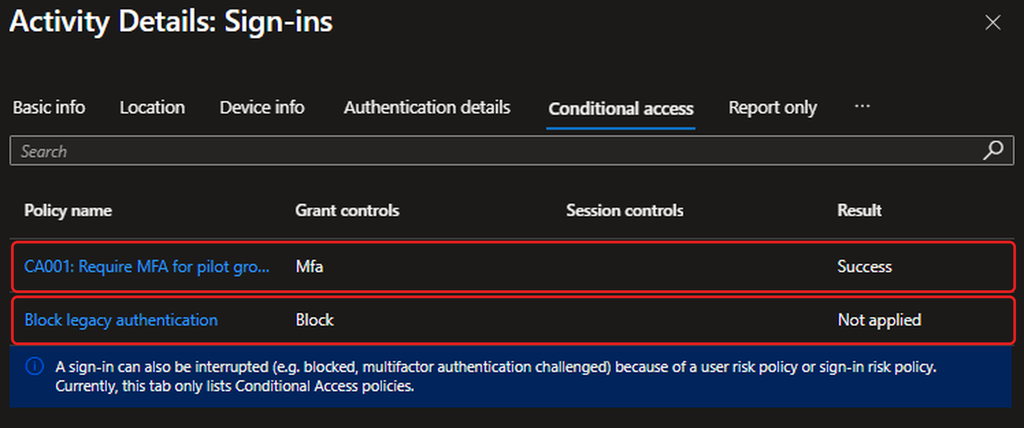
Raj’s sign-in detail shows CA001 with grant control MFA and result Success. Block legacy authentication is Not applied, which is expected, because a browser sign-in is not a legacy client.
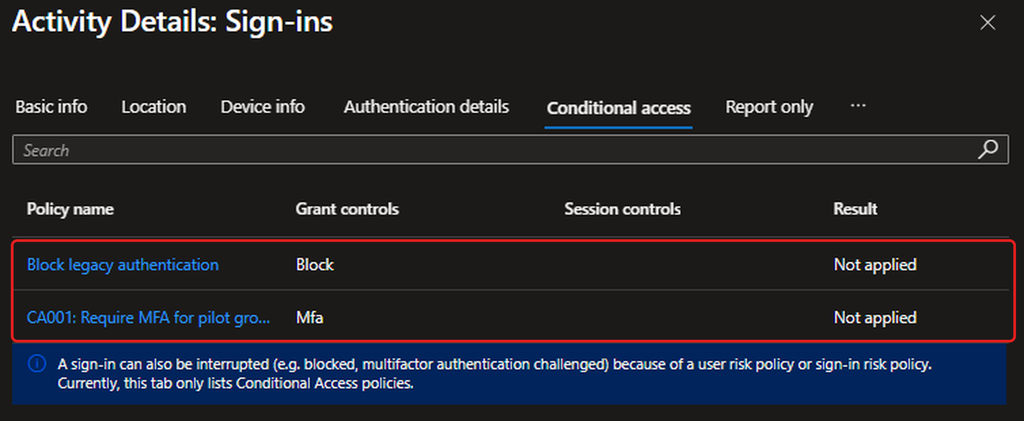
Travis’s detail shows both policies as Not applied.
Findings and recommendations
Registering a method does not enforce it. Raj had Authenticator registered and still signed in with only a password until CA001 was On.
The legacy block is configured but not proven. The sign-in logs show it as Not applied for browser sign-ins, which is expected. I did not test with a legacy client, so I have not shown it blocking anything.
The existing policy was Report-only for all users. I narrowed it to the pilot group before enabling it. When I widen it, I recommend returning it to Report-only first and reviewing the Report only tab in the sign-in logs.
Excluding one named admin is a weak lockout plan. I recommend a group of two emergency access accounts that are excluded from every policy instead.
Prompts can mislead during testing. A new account I created was asked to add an email address at first sign-in. That is password reset registration, not MFA, so I had test users finish it before testing.
Some of Travis’s earlier sign-ins show Interrupted or Failure with Conditional access Not applied, so our policies were not the cause. I did not investigate them further.
Not tested: I did not run the What If tool for the excluded admin, so I have not confirmed from that tool that neither policy applies to them.