
An audit at MrCloudSec found that users could register whatever sign-in methods they liked, and that new starters had no safe way to register their first one. We wanted control over which methods are allowed, so I enabled Microsoft Authenticator and Temporary Access Pass (TAP) for a pilot group, registered Raj and Travis, and tested the result.
It is a test tenant with fictional accounts. Tenant names, emails and secrets are hidden behind black boxes, and the red marks point out what matters in each screenshot.
Big Picture
Skill: Authentication methods management and secure MFA onboarding in Microsoft Entra ID.
What this solves: Turning MFA on for everyone at once leaves people locked out or stuck, and users without a method have no safe way to register their first one.
The approach: a policy-controlled, phased rollout. The methods policy is scoped to a pilot group, and a short-lived Temporary Access Pass (a one-time starter code) lets users register their first method.
Solutions used: the Entra authentication methods policy, Microsoft Authenticator with number matching, Temporary Access Pass, the SG-MFA-Pilot group, and the registration report and audit logs.
Starting point
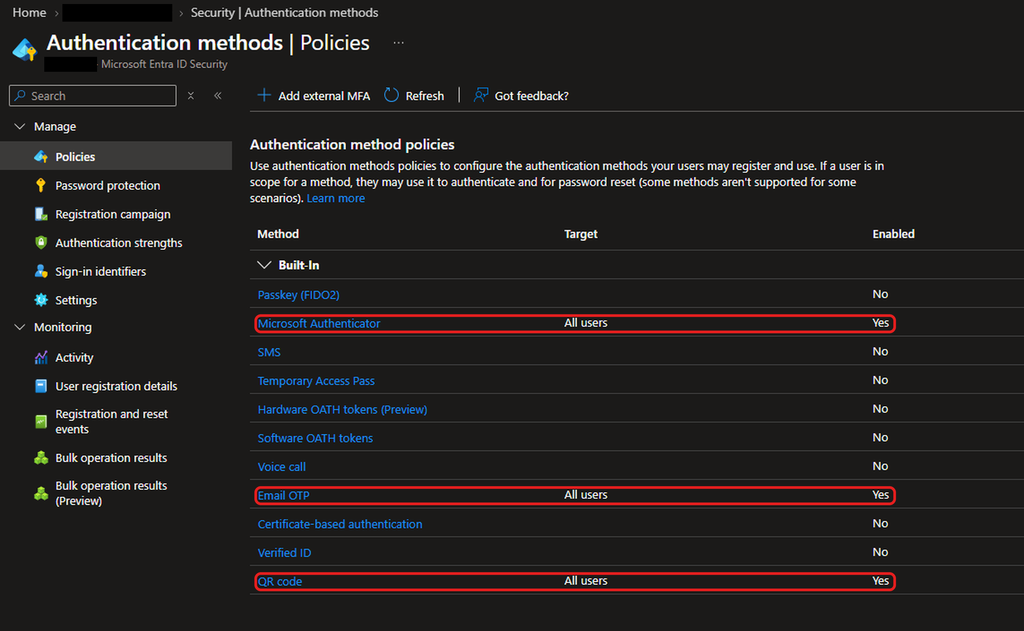
I opened the authentication method policies first. Microsoft Authenticator, Email OTP and QR code were enabled for All users, while Temporary Access Pass and SMS were off.
Creating the pilot group
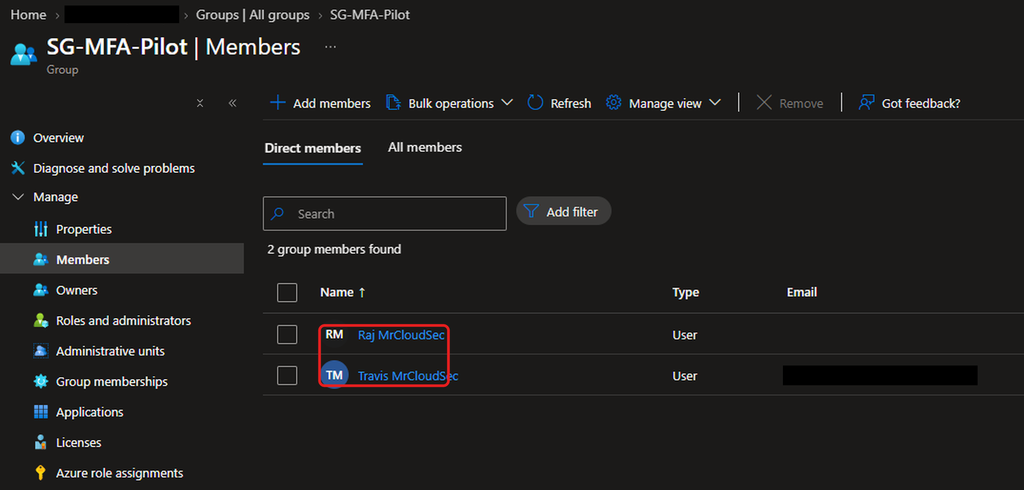
I created a security group called SG-MFA-Pilot with Raj and Travis as members, so the new policy reaches only them.
Enabling Microsoft Authenticator for the pilot
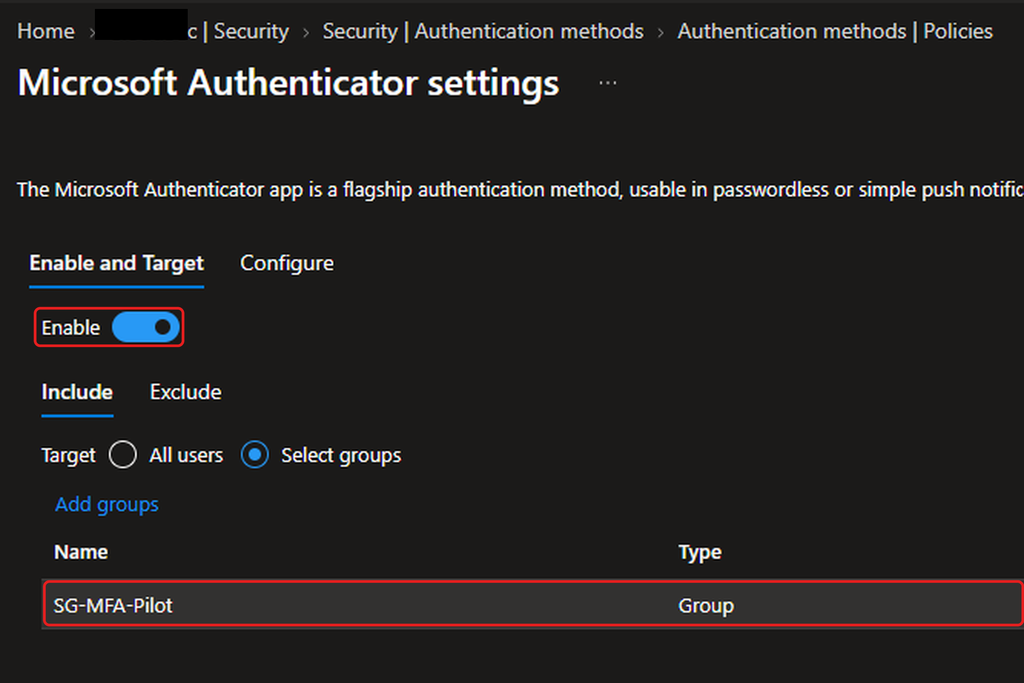
I targeted Microsoft Authenticator at SG-MFA-Pilot by selecting groups, not all users.
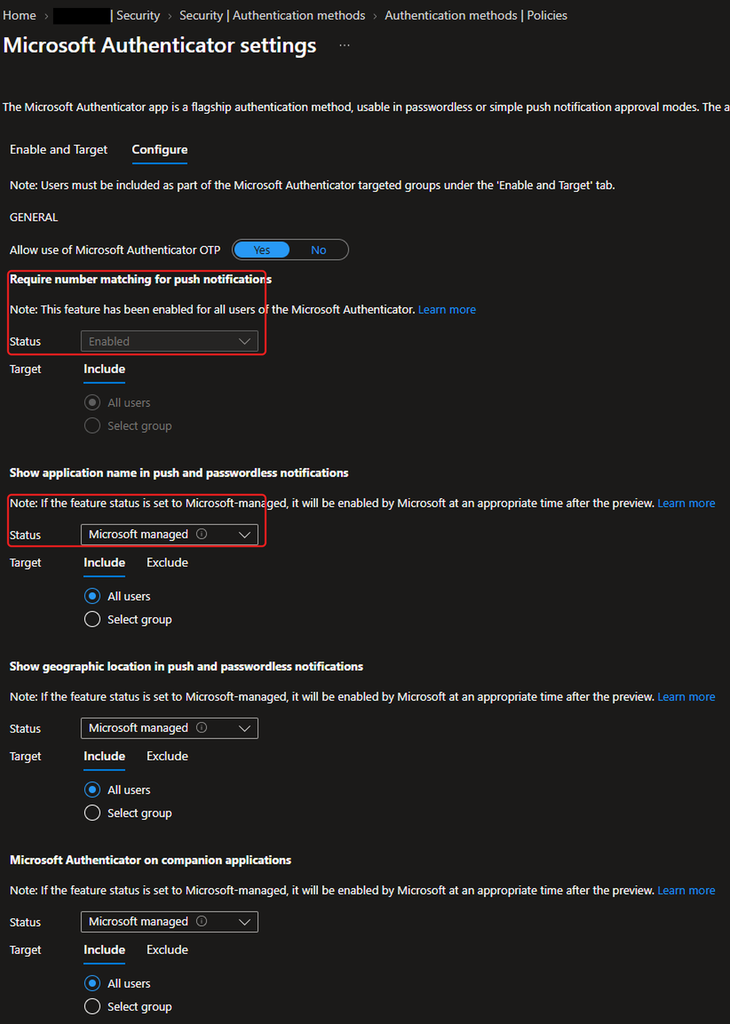
On the Configure tab, number matching is enforced for all users and cannot be changed. The application name and location settings are Microsoft managed, so Microsoft decides when they switch on. I left them as they are.
Enabling Temporary Access Pass
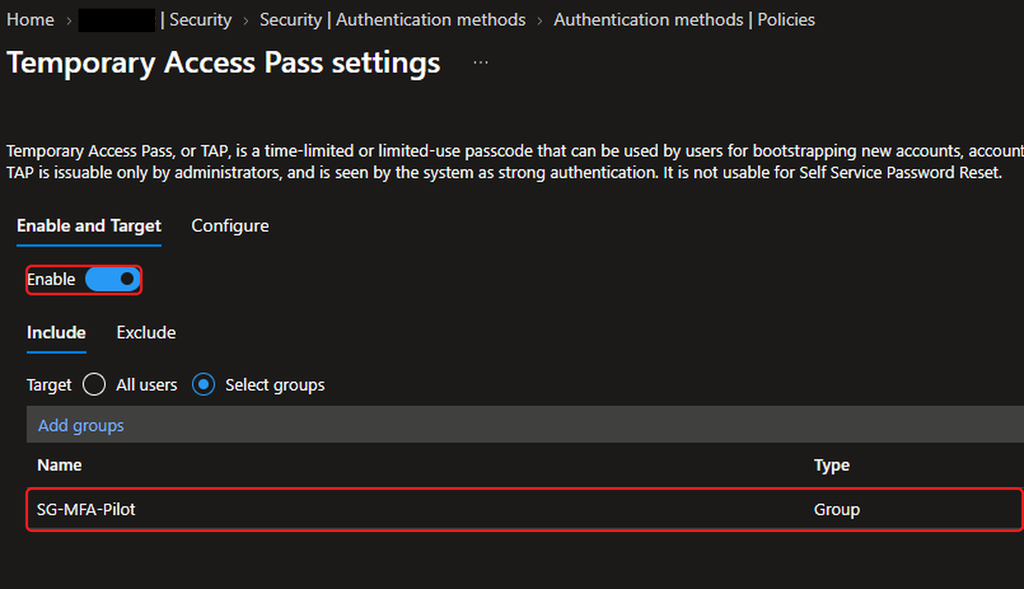
TAP lets an admin give a new user a short-lived code for first-time registration. I enabled it for the same pilot group.
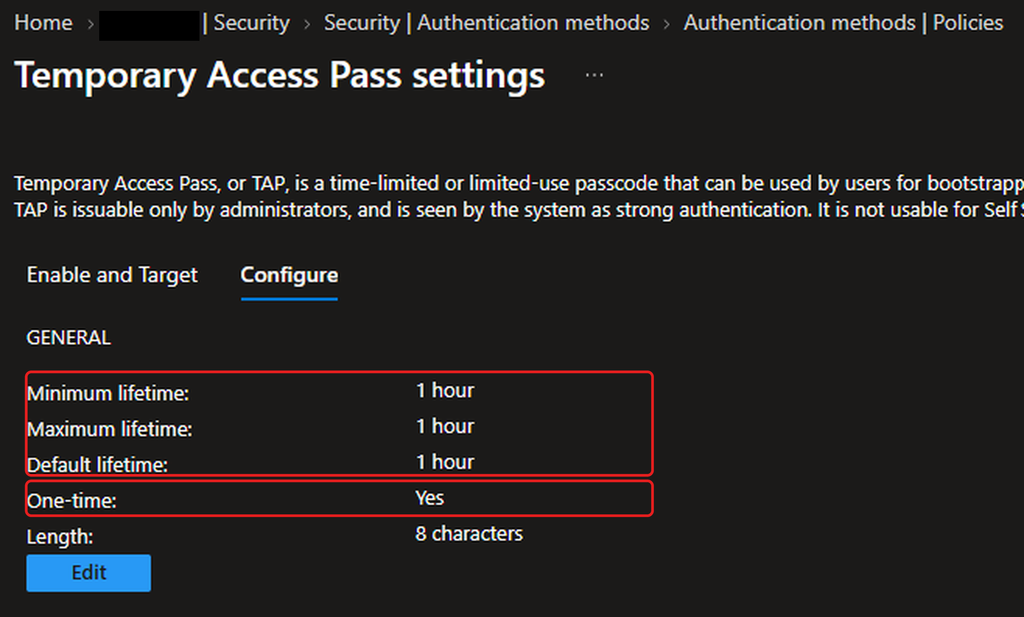
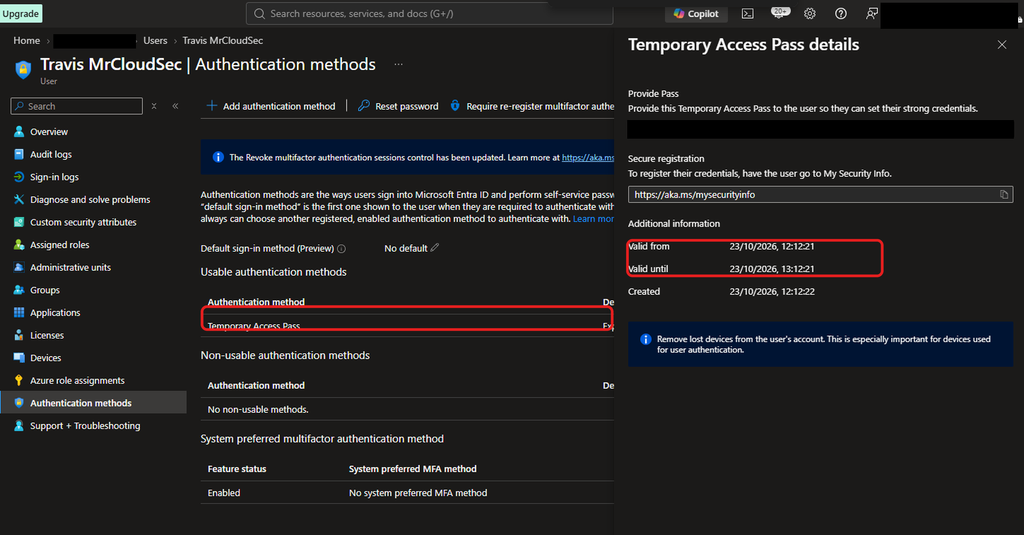
I set the lifetime to 1 hour (minimum, maximum and default) and made the pass one-time use.
Registering Raj the normal way
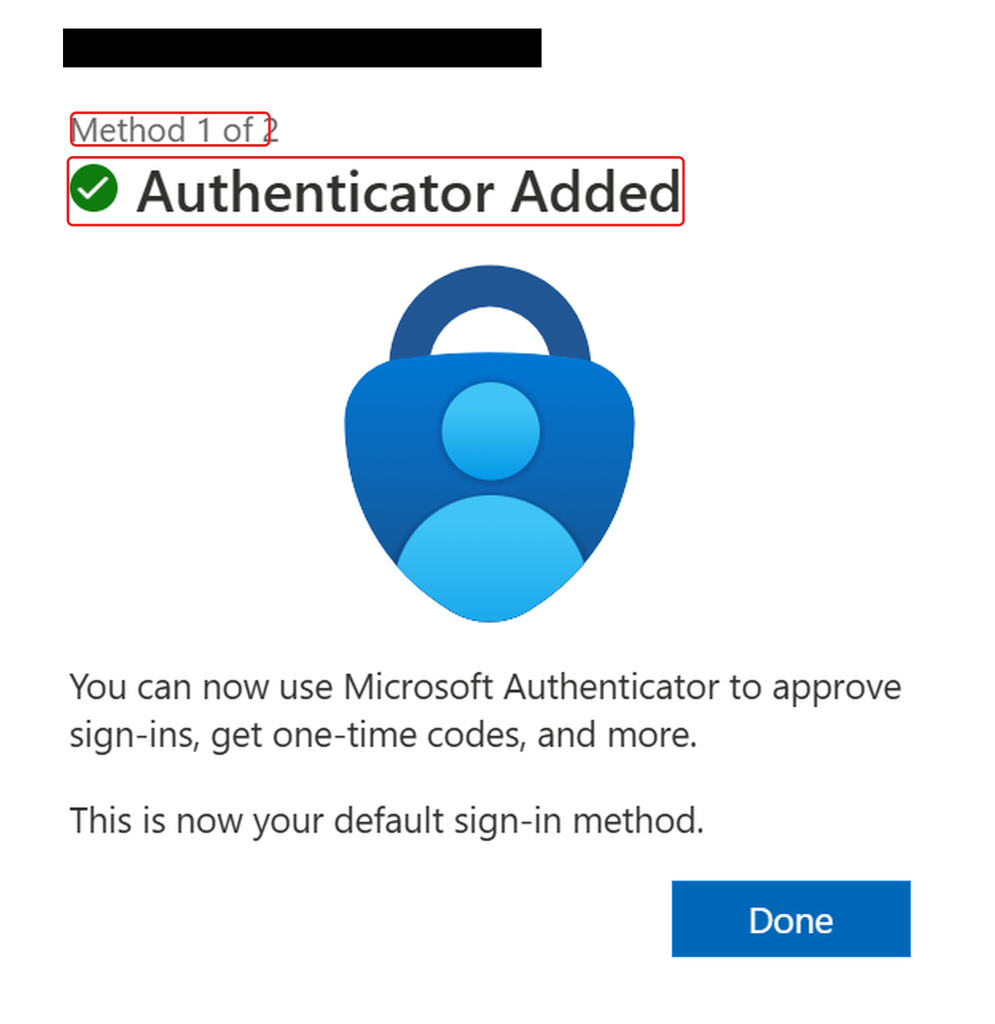
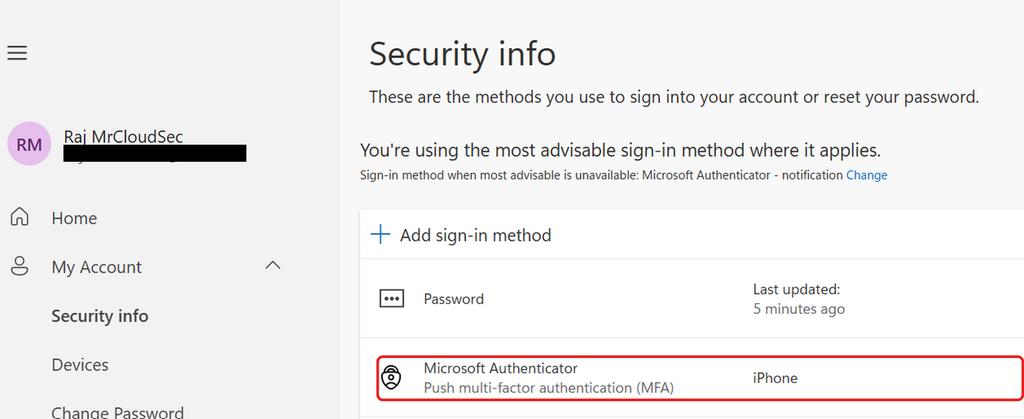
I signed in as Raj and added Microsoft Authenticator on my phone. The wizard confirmed it and made it his default sign-in method.
His security info page now lists Microsoft Authenticator with push MFA.
Onboarding Travis with a Temporary Access Pass
For Travis I created a TAP as admin. The dialog shows the one-hour validity window. The code is a secret, so I hid it.
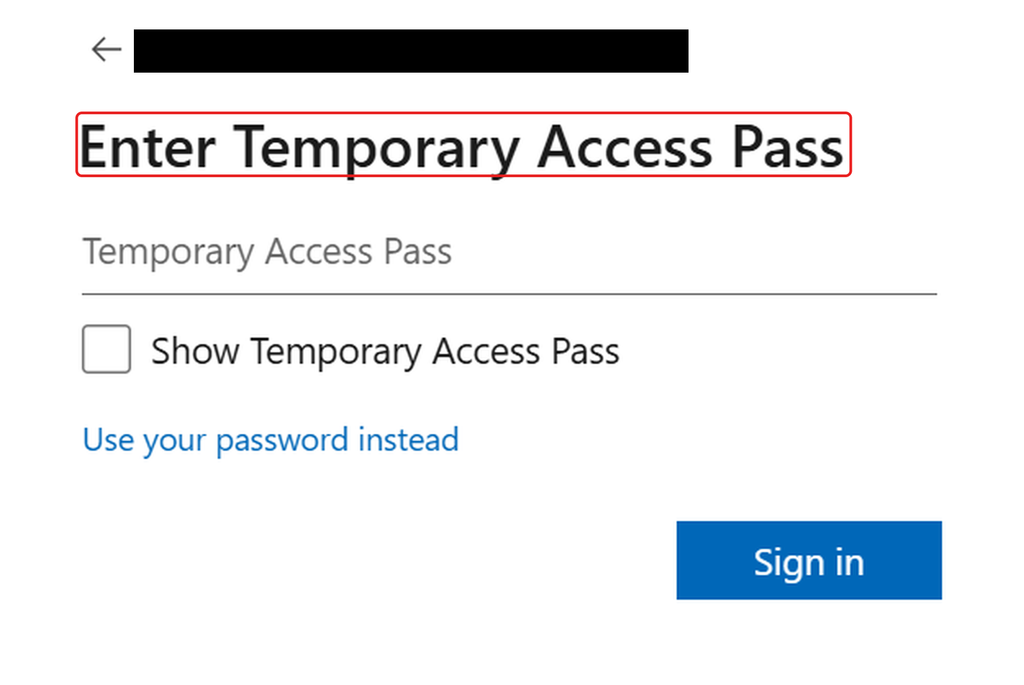
Travis signed in with the pass instead of a password.
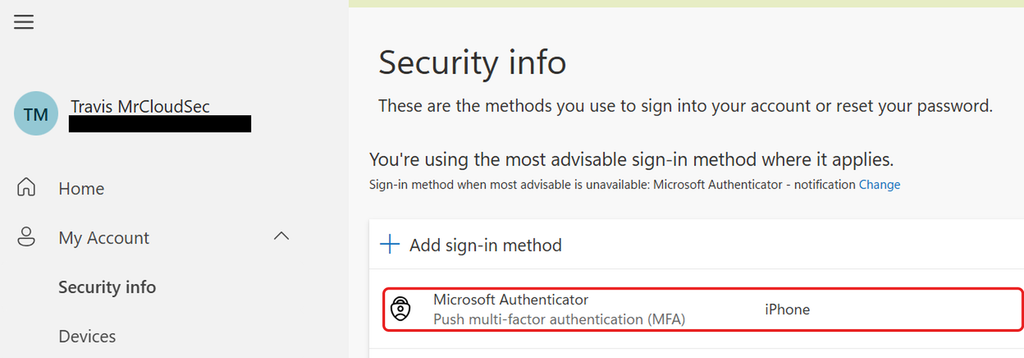
He then added Microsoft Authenticator the same way as Raj.
Verifying as admin
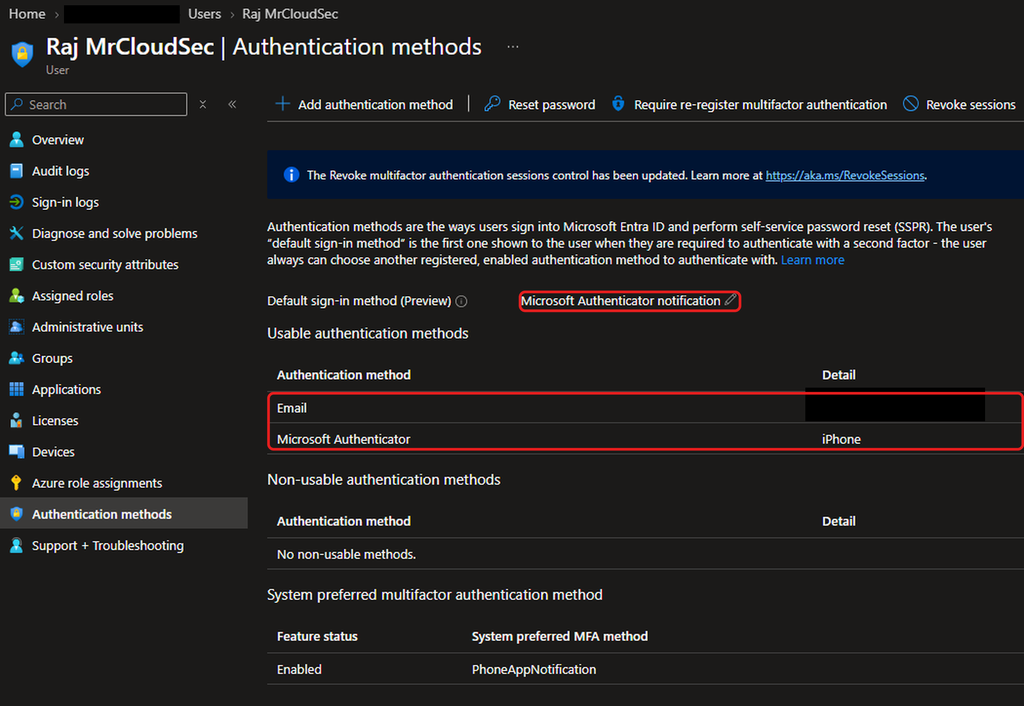
From the admin side, Raj shows Microsoft Authenticator as a usable method with notification as his default. He also has an email method registered, which I come back to in the findings.
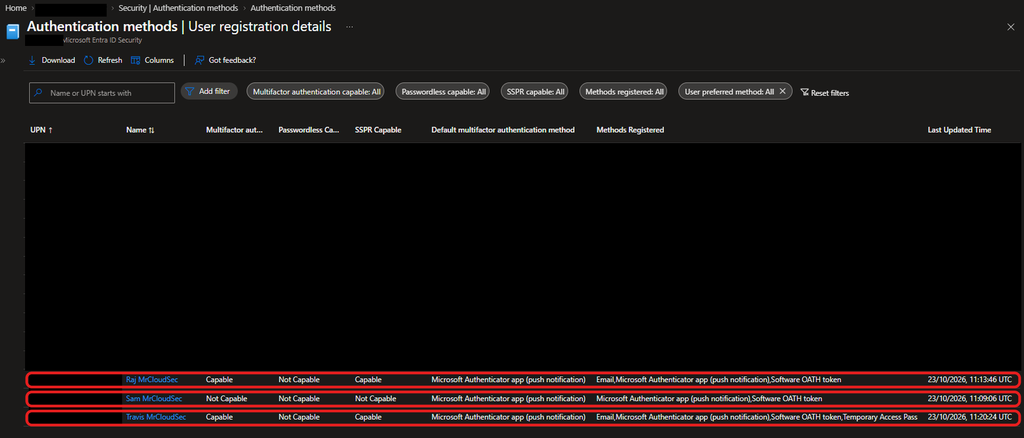
The registration report shows Raj and Travis as MFA capable. Travis also lists Temporary Access Pass among his methods.
Checking Sam, who is not in the pilot
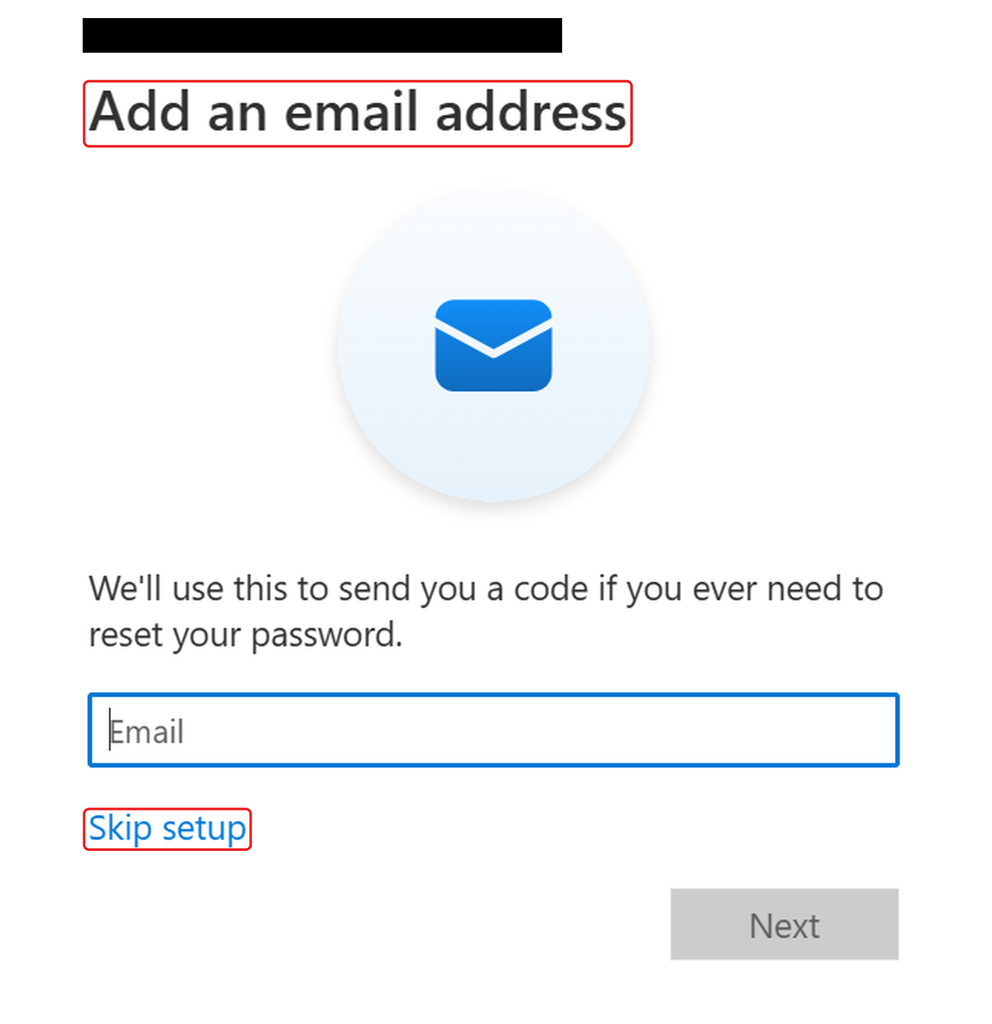
Sam is outside the pilot group. When he signed in to the security info page he was asked to add an email address for password reset, with a Skip setup option, and was not offered Microsoft Authenticator.
Checking the audit trail
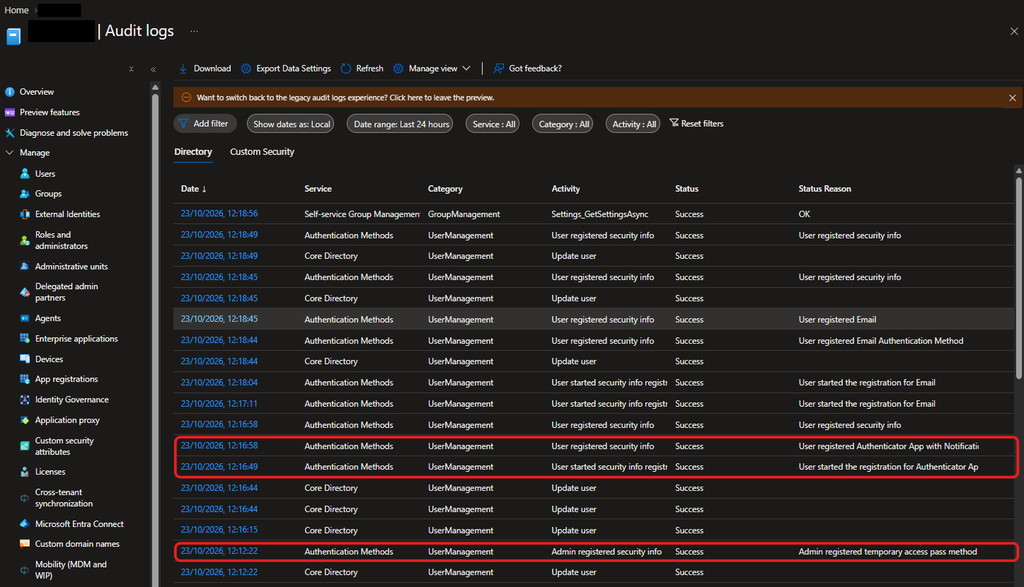
The audit log records each step: users starting and completing registration for the Authenticator app and for email, and a separate entry showing an admin registered a temporary access pass method.
Findings and recommendations
Email OTP and QR code are still enabled for all users. Email is a weak second factor, and both Raj and Travis ended up with one. I recommend scoping or disabling it.
Authenticator is now limited to the pilot. Before my change it was open to all users, so everyone else has lost the option to register it. I recommend widening the target once the pilot succeeds.
Context settings are Microsoft managed. I recommend setting application name and location to Enabled explicitly, so they do not depend on Microsoft's timing.
Treat the Temporary Access Pass as a secret. Keep it one-time use and short-lived, and never share it in tickets or screenshots.
Not tested: I did not reuse Travis's pass, so I have not shown that a second use is rejected.